
Managing who is on-site and ensuring they’ve been properly inducted is a key part of maintaining a safe and compliant workplace.
We’ve introduced a new Visitor & Contractor Induction feature in ProcessWorxShield to make this process simpler, more consistent, and easier to manage.
Where Inductions Often Fall Short
Visitors and contractors are often on-site for short periods, which means inductions can be rushed, inconsistent, or missed altogether.
Without a clear process, this creates gaps in:
- Safety compliance.
- Record keeping.
- Visibility of who is on-site.
How It Works
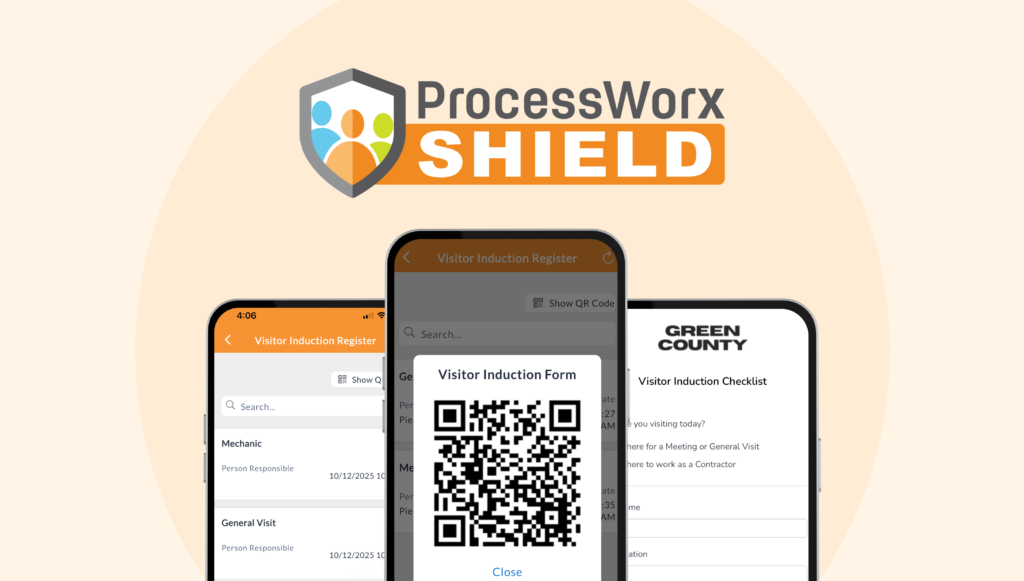
Our Visitor & Contractor Induction system allows you to manage inductions through a simple digital process.
Visitors and contractors:
- Complete an induction form via a QR code or link.
- Enter their details and select the site they are visiting.
- Review and agree to your induction requirements.
- Sign and submit the form.
Once submitted:
- The induction is automatically recorded.
- A confirmation email is sent to the visitor.
- A sign-out link is included to record when they leave site.
Multi-Site Setup
For businesses operating across multiple locations, each site can be configured with:
- Site contact details.
- Emergency management information.
- Site-specific documents.
When a visitor selects a site, this information is automatically applied to their induction, reducing errors and ensuring consistency across all locations.
What You Can See
All inductions are stored in the Visitor & Contractor Induction register within Shield.
From here, you can:
- View all visitor and contractor records.
- Confirm who is currently on-site.
- Check sign-in and sign-out activity.
- Maintain a clear, auditable record of site attendance.
Why It Works
This feature is designed to ensure:
- Consistent inductions across all sites.
- Reduce paperwork.
- Give you clear visibility of site activity.
- Provide you with accurate records when you need them.
Getting Started
You can set up Visitor & Contractor Induction in:
Settings > Registers > Visitor Induction
Once configured, your visitors complete one form and the system takes care of the rest.
Need Help Setting It Up?
If you’d like support setting up Visitor & Contractor Induction, our team can help.
Contact us on (08) 9316 9896 or email shield@processworx.com.au.